

Your IT service desk answers the same ten questions, every single day. A password reset. A VPN error. A ticket that should never have needed a human in the first place. Voice intelligence is the technology finally built to catch that repetition and turn it into action, not just another transcript nobody reads.
Most blogs on this topic stop at a pitch: voice AI is smarter now, it understands intent, it saves time. All true. But if you’re the one accountable for rolling this out, “it’s smarter now” doesn’t tell you where to start, what to measure, or what your team looks like a year from now. This guide answers those questions directly.
What Voice Intelligence Actually Means for IT Workflows
Voice intelligence is not a fancier IVR. It’s a system that listens to a conversation, understands what the person actually needs, and triggers the right action inside your ITSM or CRM platform, automatically. A password reset request gets logged and resolved. A network outage report gets routed and escalated. No human has to type any of it in afterward.
That distinction matters. Traditional speech recognition transcribes. Voice intelligence acts. It’s the difference between a system that listens and one that works alongside your team.
The 4-Stage Voice Intelligence Maturity Model
Every IT organization sits somewhere on this curve, whether they’ve named it or not:
- Transcription and logging — calls are recorded and turned into text. Nothing else happens automatically.
- Intent routing and triage — the system identifies the issue type and routes it to the right queue.
- Autonomous resolution — routine requests get resolved end-to-end, without a human touching the ticket.
- Coaching feedback loop — every interaction feeds back into agent performance data, sharpening the whole team over time.
Most enterprises are stuck between stage one and two. Real transformation, and real ROI, only shows up at stage three and four.
What the Numbers Actually Say
The industry loves big automation numbers. Some are worth trusting. Gartner forecasts that by 2029, agentic AI will autonomously resolve 80% of common customer service issues without human involvement, alongside a 30% reduction in operational costs for the organizations that get there first (Gartner, 2025).
But here’s the honest caveat nobody puts in the headline: this is a multi-year curve, not a quarter-one outcome. Treat these numbers as direction, not a promise your first pilot will hit.
The Governance Layer Nobody Talks About
Every voice interaction your system records is data. Who can access the transcript? Where is it stored? Does it meet the compliance bar your BFSI or EdTech clients expect?
These questions rarely appear in vendor blogs, yet they’re usually the reason enterprise deployments stall. Gartner’s own use-case research on customer service AI notes that sentiment analysis and case summarization already sit inside live production environments, which means the governance conversation isn’t hypothetical anymore. It’s happening now, inside tools your team may already be using (Gartner).
Before you scale voice intelligence past a pilot, get clear answers on data residency, access controls, and audit trails. This is not a “phase two” conversation. It belongs at the start. Platforms built on ISO-certified, microservices-based cloud infrastructure, such as Odio’s, tend to make this conversation easier, since the certification itself is something you can verify rather than take on faith.
What Happens to Your IT Support Team
This is the question IT leaders actually lose sleep over, and it’s rarely addressed head-on. Voice intelligence doesn’t erase your support team. Gartner’s own research backs this up: 50% of organizations that had planned significant AI-driven workforce cuts are expected to abandon those plans by 2027, as fully “agentless” service proves harder to sustain than promised (Gartner, 2025).
What actually shifts is the job itself. Agents move away from repetitive ticket entry and toward the exceptions, the escalations, the moments that genuinely need a human judgment call. That’s a better job, not a smaller one.
From Automation to Coaching: The Missing Feedback Loop
Here’s the part most guides skip entirely. Once voice intelligence resolves the routine tickets, the data it captures becomes something more valuable: a real-time view into how your best agents actually handle hard conversations.
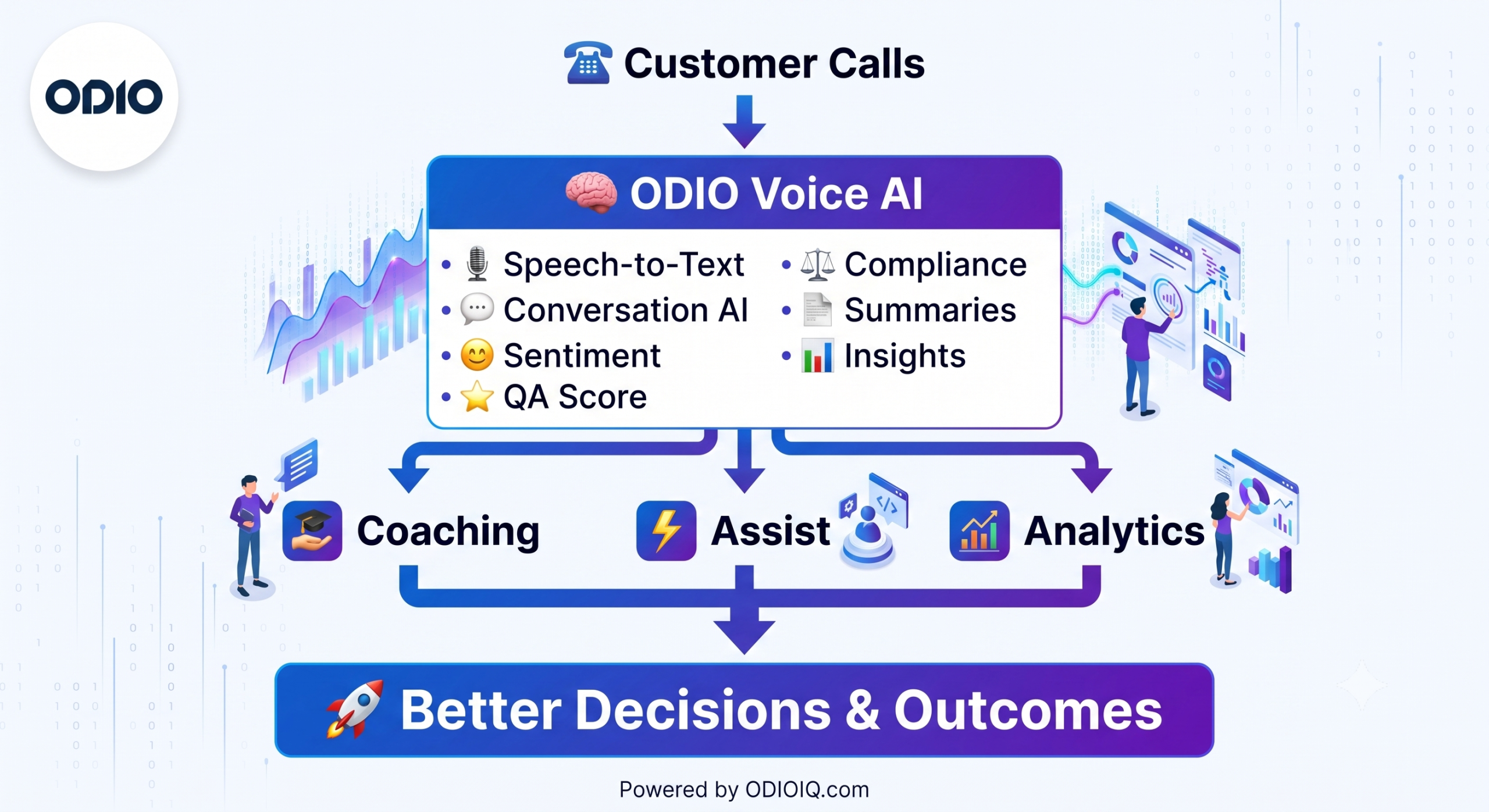
Sentiment patterns, call summaries, and next-best-action prompts don’t just help in the moment. Fed back into coaching, they help every agent improve, not only the ones already performing well. Odio’s Auto Agent Coaching module, for instance, runs voice-backed AI simulations against different customer personas, then scores agents on tone, sentiment, and response quality automatically. That’s the coaching feedback loop in practice, not just in theory, connecting automation on the front end to measurable skill-building on the back end.
A Vendor-Neutral Evaluation Checklist
Before choosing a platform, score every vendor against the same six questions:
- How deep is the integration with your ITSM, CRM, and ticketing stack?
- Does it handle jargons, and multi-language support reliably?
- What’s the real-world latency between speech and action?
- What compliance certifications does it hold, and can it prove them?
- Does it include agent coaching, or only automation?
- What’s the total cost of ownership, not just the license fee?
A vendor that can’t answer all six clearly isn’t ready for enterprise IT.
The Real Transformation Isn’t the Technology
Voice intelligence doesn’t transform IT workflows by itself. It transforms them when paired with clear governance, a plan for your people, and a feedback loop that turns automation into ongoing improvement. Skip any one of those, and you’re left with a faster IVR, not a smarter operation.
If you’re mapping where your organization sits on this maturity curve, Odio helps enterprise teams move from stage one automation to stage four coaching, all inside one platform. See how it fits your workflow, or see ODIO in Action.
Frequently Asked Questions
1. Why does my IT team still spend so much time on repetitive support calls?
Most IT service desks handle a small set of recurring issues such as password resets, access requests, connectivity errors. Without a system that recognizes and automates these patterns, every call gets treated as new, even when it isn’t.
2. What’s the difference between AI and voice intelligence?
AI is the broad umbrella. Voice intelligence is a specific application of it, focused on understanding spoken conversations and converting them into structured action. Someone new to the space often conflates the two, which makes vendor comparisons confusing.
3. Is voice intelligence only for customer service, or does it apply to internal IT too?
It’s commonly associated with customer-facing support, but the same technology applies directly to internal IT helpdesks, employee onboarding requests, and internal ticketing, anywhere a conversation leads to a system action.
4. How do I know if my organization is even ready for this kind of technology?
Readiness isn’t about company size. It’s about call volume, how repetitive your ticket types are, and whether your ITSM tools have accessible APIs. A team fielding 50 calls a day has a different starting point than one fielding 5,000.
5. What’s the risk of waiting to adopt this instead of moving early?
The risk isn’t falling behind on “AI adoption” as a buzzword. It’s continuing to absorb rising support volume with the same headcount, which eventually shows up as slower resolution times and lower employee or customer satisfaction scores.